
The screen and the rotary knob
The colour screen on the front panel shows the unit's status without a computer: network and DMX activity, IP address, time, SD card. With the rotary knob, you can also set the network address and the clock, and check which modules are loaded.
The rotary knob
Every page works the same way. The selected item is outlined in cyan.
| Action | Effect |
|---|---|
| Turn | Moves from one item to the next (clockwise = next item). |
| Press on a button | Runs the button (open a page, go back, save…). |
| Press on a field | Opens the field for editing: its background turns lighter. |
| Turn, field open | Changes the value (clockwise = up). At the end of the range, the value wraps round to the other end. |
| Press, field open | Closes the field and returns to navigation. |
Standby: after 60 seconds without touching the knob, the backlight dims sharply, without switching off. The slightest action brings it back.
The screen is in French only and shows its labels without accents (“Reseau”, “Regler l'horloge”): they are quoted here exactly as displayed, with their meaning in English.
The home screen
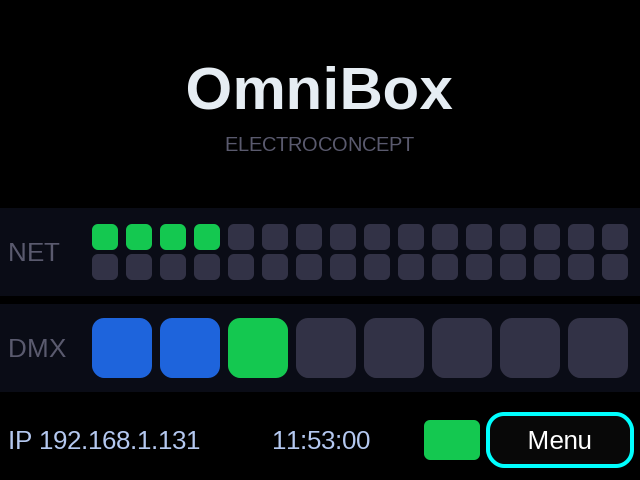
Below the logo, two strips sum up the activity, updated twice a second:
- NET: 32 dots in two rows of 16, one per network universe received by the patch (Art-Net IN and sACN IN modules). They are allocated in the order in which the universes were reserved: a dot's position is not the universe number.
- DMX: 8 dots, one per physical port, 1 to 8 from left to right.
| Colour | NET | DMX |
|---|---|---|
| Grey | Universe not used | Port not used |
| Red | Universe received by an Art-Net IN or sACN IN module, but no data is arriving | Port used as an input (Physical DMX IN), no signal received |
| Green | Data is arriving on this universe | Port used as an input, DMX signal received |
| Blue | Universe received and then re-sent as is by an Art-Net OUT or sACN OUT | Port configured as an output (Physical DMX OUT) |
The bottom bar shows, from left to right:
- the IP address actually in use (fixed, or assigned by DHCP);
- the time from the real-time clock, or
--:--:--if the clock is not responding; - the SD dot: grey with no card, amber during initialisation, green when the card is ready, red in case of error;
- the Menu button, the only selectable item on the page: it opens the menu.
The menu
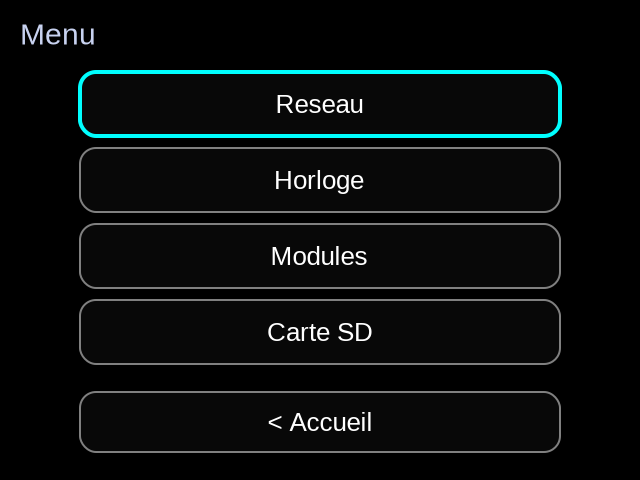
Turn to choose, press to enter: Reseau (network), Horloge (clock), Modules, Carte SD (SD card). < Accueil (home) returns to the home screen. On each page, < Retour (back) returns to this menu.
Reseau (network)
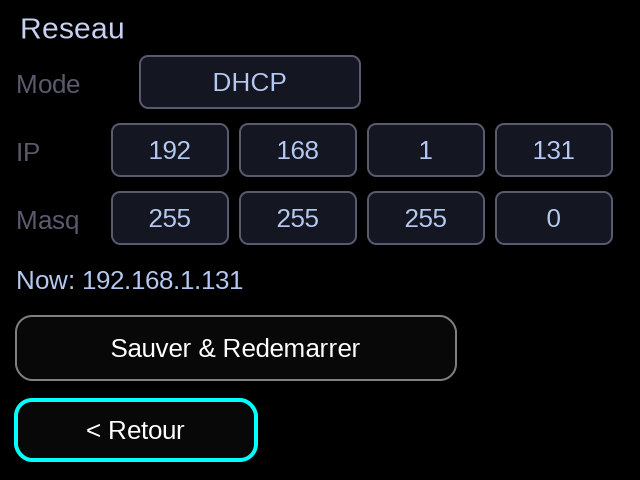
| Field | Values | Effect |
|---|---|---|
| Mode | DHCP / Statique (static) | With the field open, each notch of the knob switches between the two. In DHCP, the address is assigned by the network. |
| IP | 4 numbers, 0 – 255 | Fixed address, used in Statique mode. It stays stored while in DHCP. |
| Masq (mask) | 4 numbers, 0 – 255 | Subnet mask for the fixed address. |
| Now: | read-only | Address in use when the page was opened. It may differ from the setting until the unit has restarted. |
Sauver & Redemarrer (save and restart) stores the settings (the button shows “Sauvegarde...”) and then restarts the unit about one and a half seconds later: the new address only takes effect at start-up. < Retour discards any unsaved changes.
The same settings are available in the web interface, in the Network window.
Horloge (clock)
| Field | Values | Effect |
|---|---|---|
| Date | year 2000 – 2099, month 1 – 12, day 1 – 31 | Three fields: year, month, day. |
| Heure (time) | hours 0 – 23, minutes 0 – 59, seconds 0 – 59 | Three fields: hours, minutes, seconds. |
| Date line | read-only | Day of the week and date written out in French (e.g. “Lun 27 juil 2026”), recalculated on every change. |
Regler l'horloge (set the clock) writes the date and time to the real-time clock. The button then shows “Regle !” (set), or “Echec RTC” (RTC failure) if the clock is not responding. The day of the week is calculated automatically. < Retour discards the changes.
The clock is used by the Time window and Calendar modules. If it does not respond when the page is opened, the fields start from 1 January 2026.
Modules
A read-only information page, refreshed twice a second.
- The top line,
RAM 197K/256K CPU 12/3%, gives the memory used by the modules out of the memory reserved for them, then the load on the two processors: the first handles the network, the interface and the SD card, the second DMX, audio and module processing. The first figure measures the slowest loop rather than an average. - Below, 7 lines: the number in the execution order and the name of the module type, in French (“Lecteur DMX” for the DMX player, “Art-Net IN”…), not the name you gave the block.
| Text colour | Module status |
|---|---|
| Green | Working normally |
| Amber | Warning |
| Red | Error |
| Grey | Idle or inactive |
On this page, the knob scrolls the list by one line per notch, and a press returns to the menu, whatever item is selected.
Carte SD (SD card)
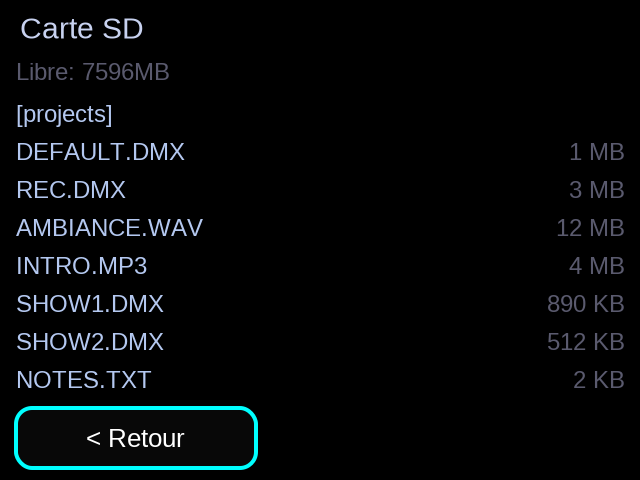
The top line shows the free space (Libre: 7596MB), or the card's
status: Pas de carte SD (no SD card), Init..., Erreur SD (SD error).
Below, the first 8 entries in the root of the card, in the order the
card returns them (no sorting, no scrolling). Folders appear in square
brackets, with no size. A name that is too long is shortened with ..; the size
stays readable on the right (B, KB or MB).
The list is read when you enter the page: after inserting a card or copying files, go back to the menu and reopen the page. To browse the whole card, use the SD card window in the web interface.